
Saturday, 21 November 2009
Rigging

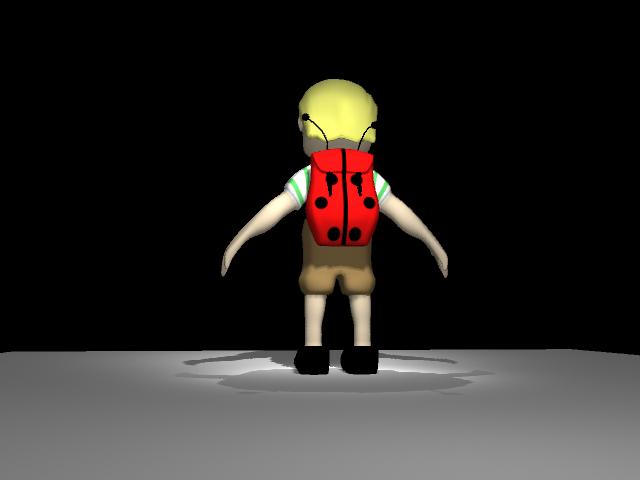
so its been a while since iv blogged but thats only cos iv been so busy working on all these projects so yeah basically i have now decided that the model of the zoo keeper is finished and i have been skinning the character which i have had soo many problems with.
so i started by following tutorials on how to create the skeleton which was simple enough and then bound it to the mesh, then steve suggested using roll bones to make it easier to rotate the bones so i went back detached the mesh and inserted roll bones.
iv had many issues with bones not behaving properly and so it has meant going back to the skeleton and tweaking things. i started painting the weights of my character and everything seemed to be going well until the next day wen i came back to work on the weights i couldnt use the paint weight toool ??!! so i spent 2 days tryin to figure out why, resetting tools searching through the hierachy and so on, not to mention trawling through the internet for answers. i was coming to the point of deleting prefs but i didnt want it to affect the rest of my work so that was a no go. in the end i decided to detach the mesh from the skeleton at the risk of losing the weights i had painted so i did this then noticed the neck joints werent working properly so i added more joints tweaked some stuff re-bound the mesh and hay presto the paint weight tool works again the only problem is it seems to have lost the weights that i painted so bback to painting weights for me
Wednesday, 28 October 2009
tex mex chicken!!!


finally got both my UV map and my Texture map sorted for Wee-eck. The most difficult part was the face as there is a lot more detail there than i thought so in some cases i had to break the model down into really small parts to get the texture map to work.most impressed with the kilt to be honest with ya, and also it was probably the simplest bit.
Saturday, 24 October 2009
Friday, 23 October 2009
Tuesday, 20 October 2009
problems with my mesh

so i transferred my mesh into Zbrush after i thought it was finished and then i encountered problems with my model. there were holes in the neck area ( in Zbrush not in maya) and in some areas there was a clear seam with strange irregularities.
so i went back into maya and tried to fix the problems with relative success, with the neck problem there were no evident reasons for the mesh breaking but there was a quick fix with the collar by adding some geometry which needed to be there, with the neck i decided it was the same problem so i took my maya model and smoothed it then exported it to zbrush and that seems to have worked fine.
with the crazy seam problem it was apparent that when i mirrored the geometry in maya it did not merge the verts so i halfed the model and made sure the geo wass merged and still the problem occured. i looked depper into the mesh and it was clear that in some areas the seam had created lots of extra geo and placed it on top of each other so i went through the model and got rid of the unneeded geo and this solved my problems now it is ready to be messed with in zbrush.
this process has proved a good test for the model that u have built as zbrush shows up irregularities that maya didnt.
Subscribe to:
Posts (Atom)


